Download
GPS-verified trek & travel map · India

Every place you’ve stood, on one map.

Pins only drop where your GPS says you’re standing. Your route draws itself across India, Rishikesh to Sankri to Kedarkantha, and locals answer in city groups before you go.

Download for Android Log in
v0.1.037 MBAndroid 7.0+Free
Open the web app

New here? Create an account · Already installed? Open Travesolo

Your map

Your route draws itself.

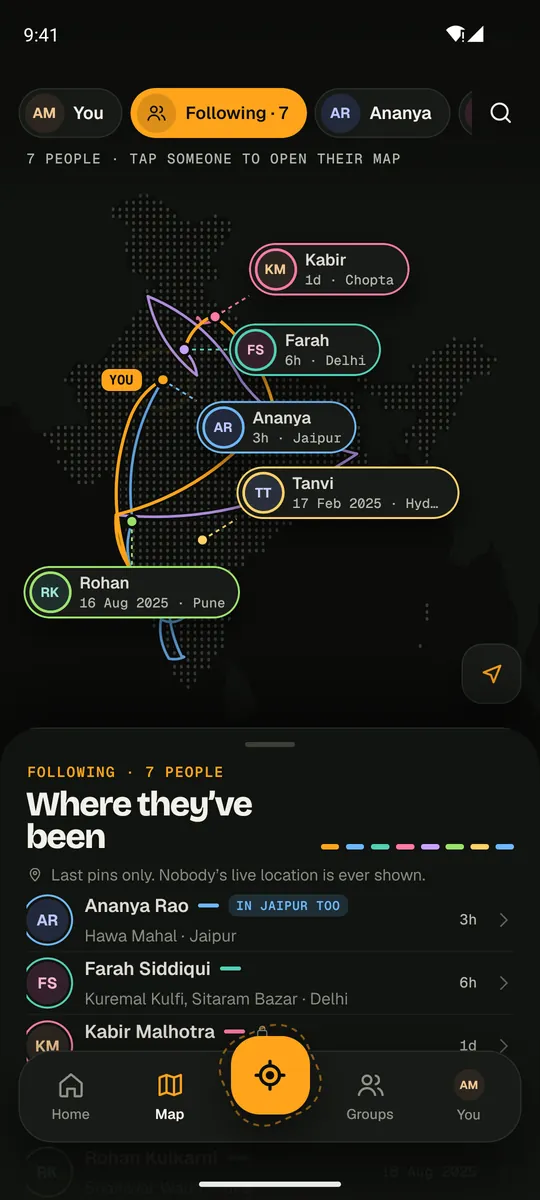
Every GPS pin joins the line, you in orange. People you follow show up in their own colour: last pins only, never live location.

NEXT? LEH 01 DELHI02 RISHIKESH03 KEDARKANTHA · NOW ARAnanya2H · BENGALURU
Inside the app

Your map, their routes, the city’s locals.

The Following map: seven people’s routes across India in different colours
01 · Following

Everyone you follow, in their own colour. Last pins only, never live location.

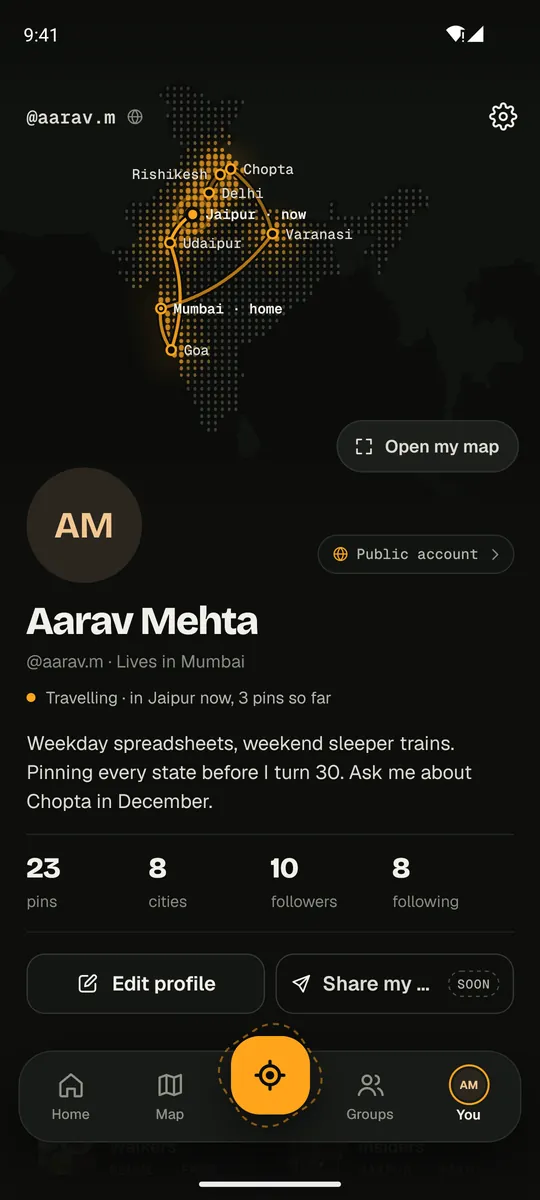
A profile with a glowing route map of India
02 · Profiles

A profile opens on the person’s route: where they live, where they are now.

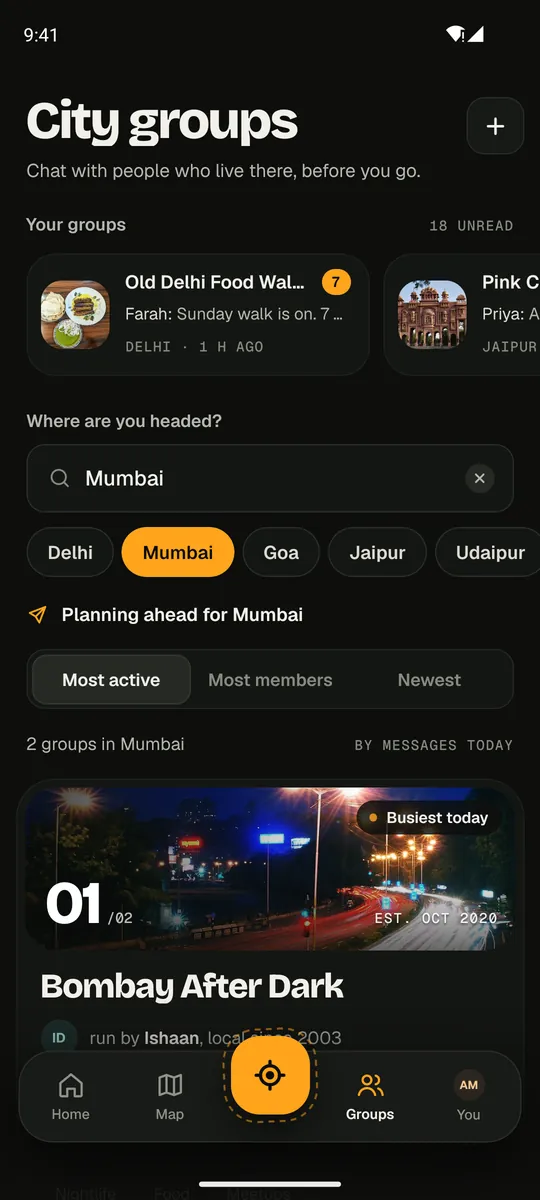
City groups for Mumbai, sorted by most active
03 · City groups

Pick where you’re headed and join the groups people there run.

How it works

Four stops.

  1. Pin it where you stand

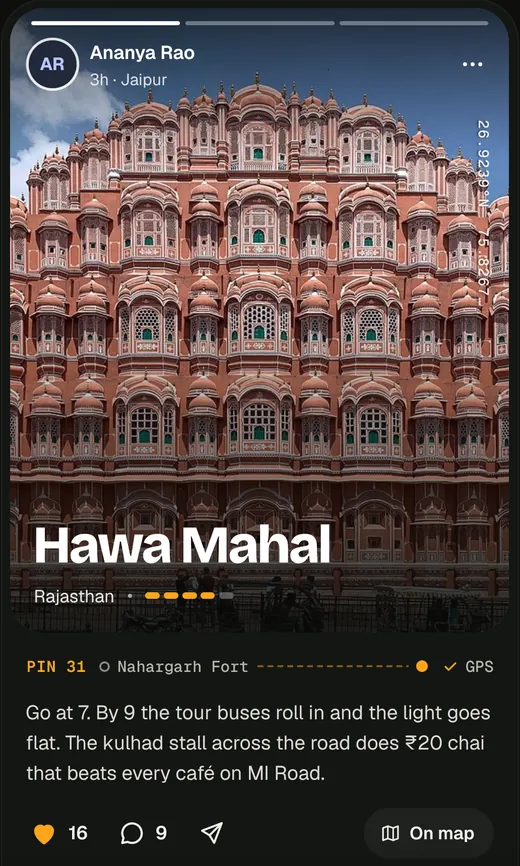
    A pin only drops when your phone’s GPS puts you there: accurate to 50 m, a fresh fix, no fake-location apps.

  2. Add the trips you’ve already taken

    Pick past trips from your camera photos, or add a place by hand. They’re marked “From a photo” or “Memory”, so a GPS pin still means something.

  3. Read tips before you go

    Headed to Chopta or Manali? Read tips from people who were there, the most helpful first, and join groups run by locals.

  4. Message people who follow you back

    As much as you like. New people: up to five new chats a day. Group chats are always free.

A pin card: Hawa Mahal, Jaipur, pin 31, GPS verified
Install

Under a minute.

Travesolo isn’t on the Play Store yet, so Android asks once before installing it.

1

Download the app

Tap Download for Android. It’s a 37 MB file.

2

Allow the install

Open the downloaded file. When Android asks, allow installs from your browser. If Play Protect warns you, tap Install anyway.

3

Create your account

Sign up with your email and a password. We email you a 6-digit code to confirm it.

On a laptop? Scan this with your Android phone.

📱
iPhone or computer? Use Travesolo in your browser at trvl-app.onrender.com. On iPhone, tap Share → Add to Home Screen and it opens like an app. Pins with GPS are dropped from the Android app.
⚠
Early beta. The free server sleeps when idle, so the first open can take up to a minute.
Questions

Good to know.

Does Travesolo track where I am?

No. Location is read only while the app is open: to show your city, and to check a pin when you tap Drop pin. Followers see your pins, never your live position.

Who can see my map?

You choose when you sign up. Public: anyone can follow you. Private: people send a request and see nothing until you say yes. You can switch any time.

Why can’t I drop a pin from home?

Because a GPS pin has to mean you were there: a fix within 50 m, under two minutes old, no fake-location apps. Past trips go on your map from your photos or by hand, marked as such.

Is it free?

Yes. Message anyone who follows you back, start up to five chats a day with new people, and join any group.

Why isn’t it on the Play Store?

It will be. This is an early demo build, so you install the APK yourself. Android asks once to allow it.

iPhone?

Not yet. The app is built so an iOS version can come from the same code.